1
Get credentials
An API URL and, on a
local-auth install, an sk_ token from your platform operator.2
Evaluate locally
Score responses in code. No appliance needed.
3
Add an LLM judge
Catch what rules cannot, such as an answer that contradicts its source.
4
Record signed evidence
Send each verdict to the appliance as a signed record.
5
Guard live calls
Withhold a failing response before the user sees it.
6
Gate releases
Fail the CI build when the agent misses its thresholds.
7
Register the agent
Propose it as an intake. An approver registers it.
1. Get credentials
Ask your platform operator for:- the API URL, for example
https://sengol.internal.example - the install’s tenant id
- a personal
sk_token with the developer role (how operators mint one).sk_tokens exist only inlocalauth mode. On an install that signs people in through an IdP they cannot be minted,sengol gateand the evidence sinks ignore asengol loginsession, and this journey does not cover that setup. See Credentials by journey
openai-judge or anthropic-judge extra if you will use a hosted LLM judge:
2. Evaluate locally
AnEvalSuite runs a list of evaluators over one input. Deterministic
evaluators run first. If a CRITICAL one fails, the LLM evaluators are
skipped. Otherwise, all LLM evaluators run concurrently.
NullAuditStore signs the record and stores nothing, which is what you want
while iterating:
evaluate.py
failure_mode. There are no
confidence thresholds to tune. See the evaluator
library for every evaluator and its failure
modes.
3. Add an LLM judge
Some checks need a model. Give an LLM evaluator a judge client. This one catches a response that contradicts the source document:judge.py
OpenAICompatibleJudgeClient(base_url=...)reaches any OpenAI-compatible endpoint, including one your bank hosts.JUDGE_LLM_BASE_URLsets it too.AnthropicJudgeClientreadsANTHROPIC_API_KEY.- Any object with an
async judge_async(request) -> JudgeResponsemethod is a judge. Use this to plug in an in-house model.
Sengol never holds your model-provider keys. The judge client reads them
from your process environment.
4. Record signed evidence
SwapNullAuditStore for ApiAuditSink. Each verdict becomes a record that
the appliance signs and chains. The sink spools to disk first
(~/.sengol/spool/audit.wal), so an unreachable API does not lose records:
record.py
policies labels the record with the regulations it serves. It does not
choose evaluators; you do that in code or in the
ControlBook.
5. Guard live calls
sengol.instrument() patches the OpenAI, Anthropic and MCP clients in your
process. It checks each prompt before the call and each response after it,
writes a signed record for both, and raises BlockedError instead of
returning a failing response:
agent.py
PIIEvaluator. For more control over what happens on a failure, see
Guardrails.
6. Gate releases
Put a dataset of known questions and answers in your repository and run the gate on every pull request. See Gate releases in CI.7. Register the agent
An agent appears on the Console’s Agents page only after an approver approves an intake for it. Until then Sengol still ingests its evidence. In the Console, open Govern → Intakes → New and fill in the form.
You can also submit with your token. A token is not an interactive sign-in,
so name yourself as the requester. Your principal id is the
sub of your
session token.
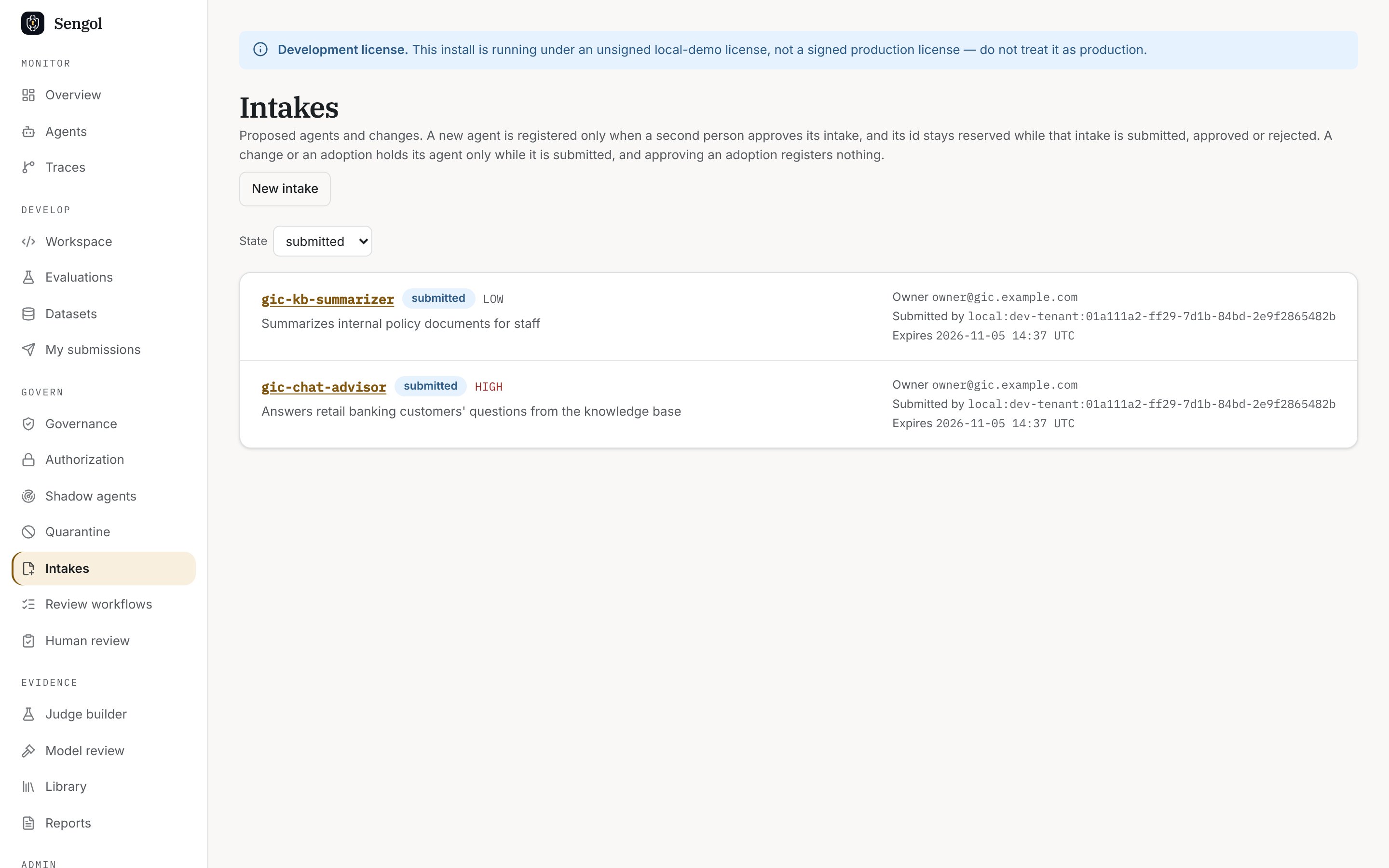
Govern → Intakes, filtered to submitted. My submissions lists only your own.
What to hand to the next person
- Approvers need your intake. Tell them its agent id.
- Compliance needs your agent id and the evaluators you run, to map them in the ControlBook.
- Reviewers see failing records in the Console’s Human review page.
- Auditors export your agent’s records by its
agent_id.